 Focus Keyword: Technical SEO Best Practices
In today’s competitive digital landscape, having great content is not enough to rank well on search engines. Your website also needs to be technically sound, easy for search engines to crawl, fast to load, mobile-friendly, and accessible to users. This is where technical SEO best practices become important.
Technical SEO focuses on improving the technical elements of a website so that search engines can discover, crawl, understand, and index its pages effectively. A technically optimized website can provide a better user experience while giving search engines a clear understanding of your content.
Whether you run a business website, blog, e-commerce store, or portfolio, understanding technical SEO best practices can help you identify problems that may prevent your pages from performing well in search results.
What Is Technical SEO?
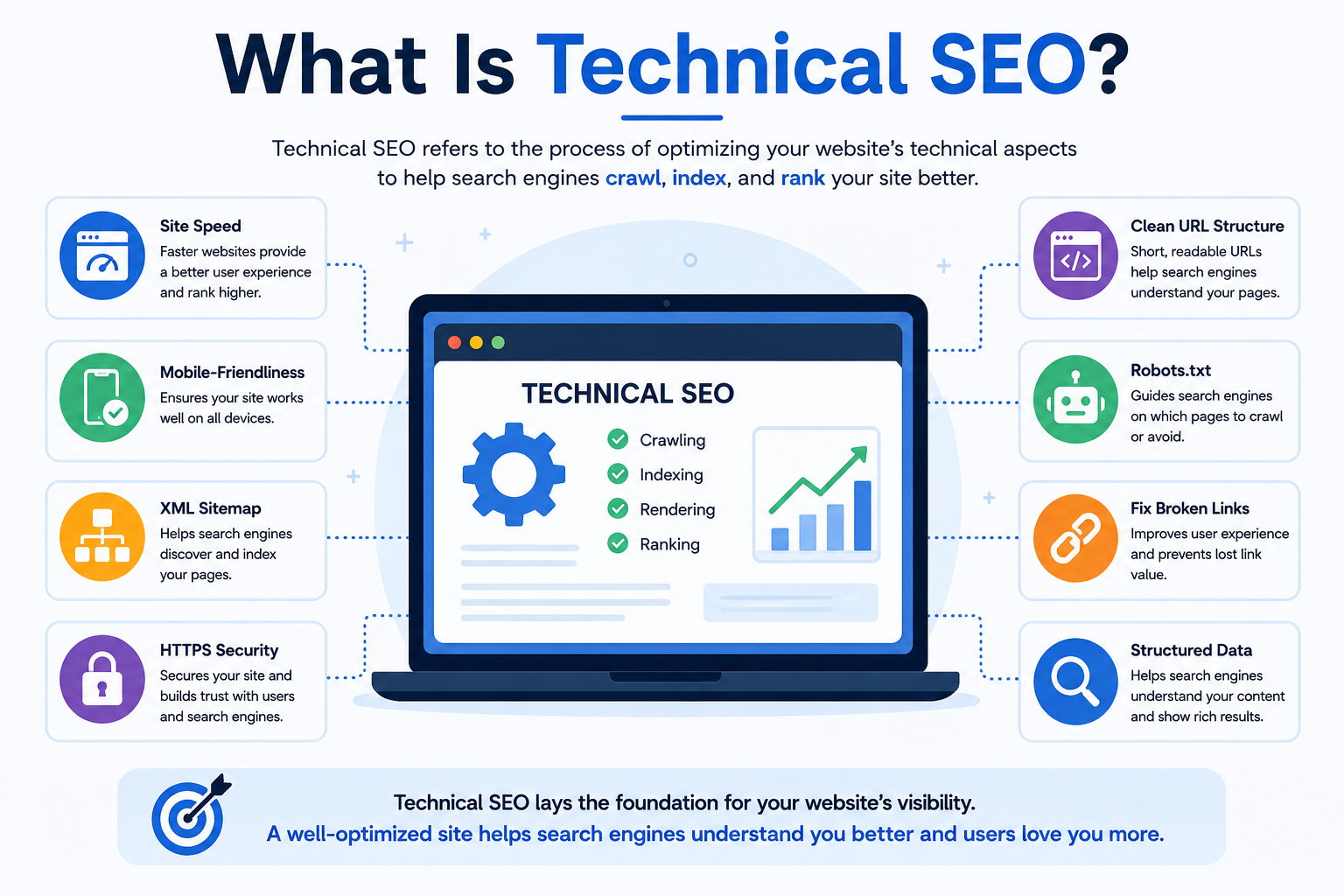
Technical SEO is the process of optimizing the technical structure and performance of a website to improve its visibility in search engines.
Unlike content SEO, which focuses mainly on keywords and content quality, technical SEO deals with elements such as:
- Website crawling
- Website indexing
- Page speed
- Mobile usability
- XML sitemaps
- Robots.txt
- URL structure
- HTTPS security
- Canonical URLs
- Redirects
- Structured data
- Core Web Vitals
- Website architecture
The goal is simple: make your website easier for both search engines and users to understand and navigate.
Why Are Technical SEO Best Practices Important?
 Search engines use automated programs called crawlers to discover and analyze websites. If your website has technical problems, search engine crawlers may struggle to access or understand important pages.
For example, imagine creating a high-quality blog post with excellent keywords and useful information. However, if the page is accidentally blocked from search engine crawling, it may not appear properly in search results.
Following technical SEO best practices helps prevent these problems.
Some major benefits include:
1. Better Crawling
Search engines can discover your important pages more efficiently.
2. Improved Indexing
Proper technical optimization helps search engines understand which pages should be included in their index.
3. Better User Experience
Fast-loading, mobile-friendly websites provide a smoother experience for visitors.
4. Improved Website Performance
Technical optimization can reduce loading problems, broken links, and unnecessary resources.
5. Stronger SEO Foundation
Good technical SEO creates a solid foundation for your content and other SEO strategies.
1. Improve Website Crawlability
One of the most important technical SEO best practices is improving crawlability.
Crawlability refers to how easily search engine bots can access and navigate the pages of your website.
If search engines cannot access your important pages, those pages may not be discovered or indexed correctly.
To improve crawlability:
- Use a clear website structure.
- Create useful internal links.
- Avoid unnecessary redirects.
- Keep important pages accessible.
- Use robots.txt correctly.
- Maintain a clean XML sitemap.
- Fix broken internal links.
- Avoid creating excessive URL parameters.
A simple website structure makes it easier for both visitors and search engine crawlers to navigate your website.
2. Create and Optimize an XML Sitemap
An XML sitemap is a file that provides search engines with information about important URLs on your website.
It can help search engines discover pages that might otherwise be difficult to find.
Your sitemap should generally include important indexable pages such as:
- Main pages
- Blog posts
- Product pages
- Category pages
Avoid including unnecessary URLs such as duplicate pages or pages that should not be indexed.
After creating your XML sitemap, submit it through tools such as Google Search Console.
For large websites, keeping the sitemap updated is especially important because new pages may be added frequently.
3. Optimize Your Robots.txt File
The robots.txt file provides instructions to search engine crawlers about which areas of a website they can or cannot access.
For example, websites may use robots.txt to prevent crawlers from accessing certain administrative areas.
However, incorrect robots.txt rules can create serious SEO problems.
Before blocking anything, make sure you understand what the rule does.
A common mistake is accidentally blocking important pages or resources from being crawled.
Therefore, regularly review your robots.txt file as part of your technical SEO best practices checklist.
4. Improve Website Loading Speed
Website speed is another important part of technical SEO.
Users generally expect websites to load quickly. Slow websites can create a poor experience and may lead visitors to leave before interacting with the content.
You can improve website performance by:
- Compressing images
- Using modern image formats
- Reducing unnecessary JavaScript
- Minifying CSS and JavaScript
- Using browser caching
- Reducing server response time
- Removing unnecessary plugins
- Using a reliable hosting provider
- Using a content delivery network when appropriate
You can use tools such as Google PageSpeed Insights and Lighthouse to identify performance problems.
Remember that optimization should focus not only on achieving a perfect score but also on providing a fast and useful experience for real users.
5. Focus on Core Web Vitals
Core Web Vitals are performance measurements designed to evaluate important aspects of user experience.
The key metrics include:
- Largest Contentful Paint (LCP) – measures loading performance.
- Interaction to Next Paint (INP) – measures responsiveness.
- Cumulative Layout Shift (CLS) – measures visual stability.
Improving these metrics can contribute to a better overall page experience.
For example, if images suddenly move content down the page while a visitor is reading, that creates a poor experience. Properly sizing images and reserving space for dynamic elements can help reduce layout shifts.
6. Make Your Website Mobile-Friendly
A large number of people access websites through smartphones. Therefore, mobile optimization is an essential part of modern technical SEO best practices.
Your website should work properly across different screen sizes.
Check that:
- Text is easy to read.
- Buttons are easy to tap.
- Navigation works properly.
- Images fit the screen.
- Content does not require horizontal scrolling.
- Important information is accessible on mobile devices.
Responsive web design is one of the most effective ways to create a consistent experience across desktops, tablets, and smartphones.
7. Use HTTPS for Website Security
HTTPS protects the connection between a user’s browser and your website.
A website using HTTPS typically has a secure connection, while HTTP websites are not encrypted in the same way.
For SEO and user trust, make sure your website uses HTTPS correctly.
After migrating from HTTP to HTTPS, check:
- Redirects
- Canonical tags
- Internal links
- Sitemap URLs
- Image URLs
- Mixed-content issues
A poorly handled HTTPS migration can create technical problems, so test the website carefully after making changes.
8. Create an SEO-Friendly URL Structure
URLs should be simple, descriptive, and easy to understand.
For example:
Poor URL:
example.com/page?id=72839
Better URL:
example.com/technical-seo-best-practices/
A good URL structure helps users understand what a page is about.
Best practices include:
- Keep URLs relatively short.
- Use descriptive words.
- Include the main topic when natural.
- Use hyphens to separate words.
- Avoid unnecessary parameters.
- Avoid excessive folders.
Changing URLs unnecessarily can create problems, so optimize your URL structure carefully.
9. Fix Broken Links
Broken links lead users to pages that no longer exist or cannot be accessed.
Common examples include:
- 404 errors
- Deleted pages
- Incorrect URLs
- Broken internal links
- Broken external links
Regularly check your website for broken links.
If an important page has moved permanently, use an appropriate redirect to guide users and search engines to the new URL.
Fixing broken links can improve navigation and create a better website experience.
10. Use Canonical Tags Correctly
Duplicate or very similar pages can sometimes create confusion about which URL should be treated as the preferred version.
A canonical tag can indicate the preferred URL among duplicate or similar versions.
For example, an e-commerce website might have multiple URLs generated by filters or parameters that display similar products.
Using canonicalization correctly can help search engines understand the preferred version of a page.
However, canonical tags should not be treated as a solution for every duplicate-content problem. They need to be implemented carefully and consistently.
11. Implement Proper Redirects
Redirects are useful when a page moves from one URL to another.
A 301 redirect is commonly used when a page has permanently moved.
For example:
oldwebsite.com/old-page
can redirect to:
oldwebsite.com/new-page
Redirects are especially important during:
- Website migrations
- URL changes
- Domain changes
- Content restructuring
- Page consolidation
Avoid creating long chains of redirects because they can make crawling and user navigation less efficient.
12. Improve Internal Linking
Internal links connect pages within the same website.
They help users discover related content and help search engine crawlers navigate your website.
For example, a blog post about technical SEO can link to related articles about:
- Keyword research
- On-page SEO
- SEO audits
- Website speed
- SEO tools
Use descriptive anchor text that gives users an idea of what they will find after clicking.
A strong internal linking structure can also help distribute authority throughout your website.
13. Use Structured Data
Structured data provides additional information about your content in a format that search engines can understand.
Depending on the website, structured data can be used for things such as:
- Articles
- Products
- Organizations
- Events
- Breadcrumbs
- Local businesses
- Reviews
Structured data does not guarantee enhanced search results, but correctly implemented structured data can help search engines better understand certain types of content.
Always follow the relevant search engine guidelines when implementing schema markup.
14. Optimize Website Architecture
Website architecture refers to how the pages of your website are organized and connected.
A good architecture makes it easier for visitors and search engines to move between related pages.
For example:
Homepage → Category → Subcategory → Individual Page
Try to avoid burying important pages several clicks deep within the website.
A well-organized structure can improve:
- Navigation
- Crawlability
- Internal linking
- User experience
- Content organization
This is particularly important for large websites and e-commerce stores.
15. Manage Duplicate Content
Duplicate content occurs when substantially similar content appears at multiple URLs.
Common causes include:
- URL parameters
- Printer-friendly pages
- HTTP and HTTPS versions
- WWW and non-WWW versions
- Product variations
- Duplicate category pages
To manage duplicate content, you can use techniques such as:
- Canonical tags
- 301 redirects
- Consistent URL structures
- Proper website configuration
- Content consolidation
The goal is to make it clear which version of a page should be prioritized.
16. Optimize Images
Images can significantly affect website performance.
Large, unoptimized images can increase page loading time.
To optimize images:
- Compress large files.
- Use appropriate dimensions.
- Choose modern formats where suitable.
- Add descriptive alt text.
- Avoid unnecessarily large images.
- Use lazy loading where appropriate.
Image optimization can improve both performance and accessibility.
17. Make JavaScript SEO-Friendly
Modern websites often depend heavily on JavaScript.
While JavaScript can create interactive experiences, excessive or poorly implemented JavaScript can sometimes create crawling, rendering, or performance issues.
Make sure important content and links can be properly discovered and processed by search engines.
Test JavaScript-heavy pages regularly, particularly after major website updates.
18. Monitor Indexing Issues
Google Search Console is one of the most useful tools for monitoring website indexing.
It can help you identify issues related to:
- Indexed pages
- Page indexing
- Crawling
- Sitemap submission
- Mobile usability
- Search performance
- Core Web Vitals
Regularly reviewing Search Console can help you discover technical problems before they become larger SEO issues.
19. Conduct Regular Technical SEO Audits
A technical SEO audit helps you identify problems affecting the technical health of your website.
A basic audit can include checking:
- Crawlability
- Indexability
- XML sitemap
- Robots.txt
- HTTPS
- Page speed
- Core Web Vitals
- Mobile usability
- Broken links
- Redirects
- Canonical tags
- Duplicate content
- Internal links
- Structured data
- URL structure
You can use SEO tools such as Google Search Console, Screaming Frog, Semrush, Ahrefs, and PageSpeed Insights to help with auditing.
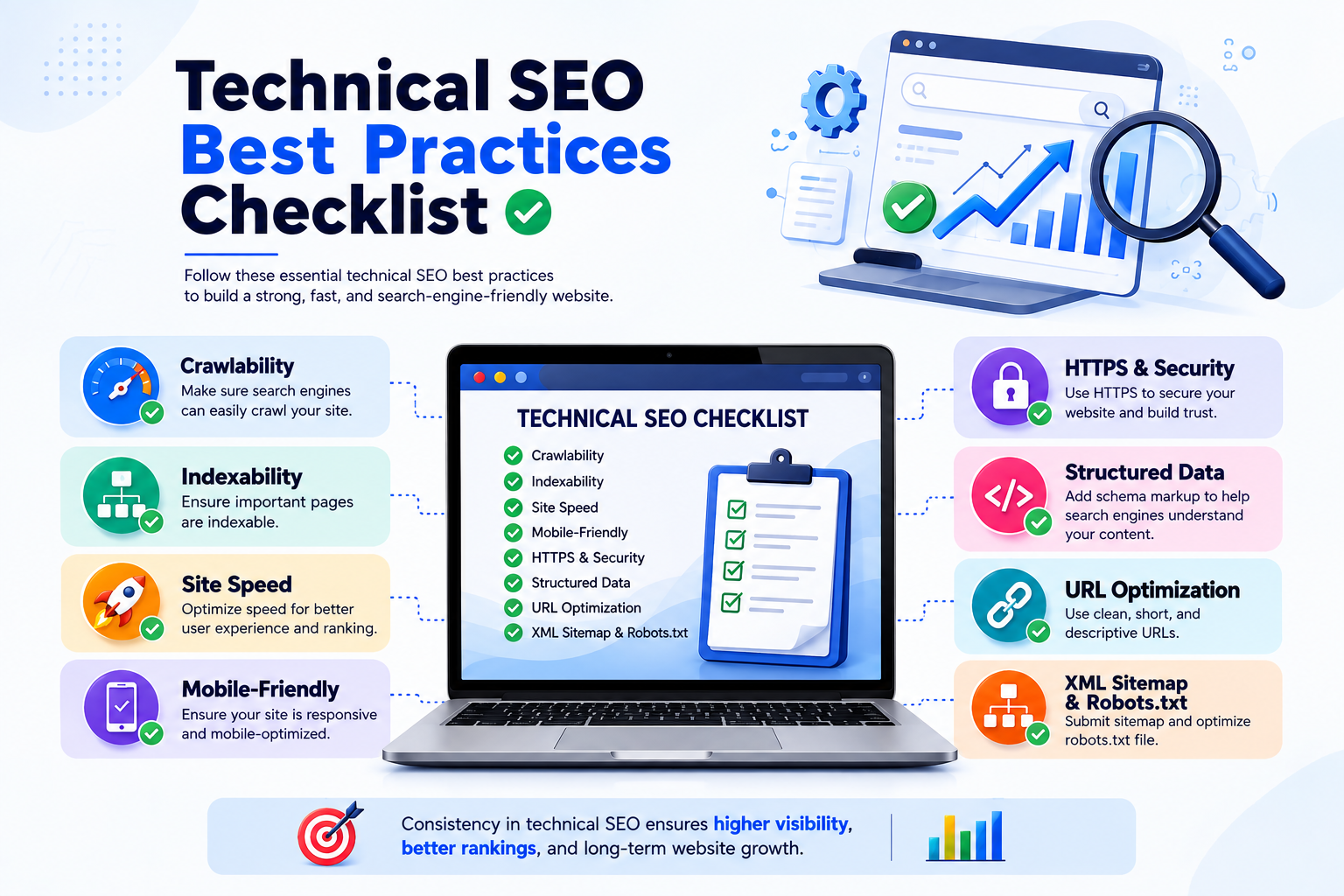
Technical SEO Best Practices Checklist
Before finishing your technical SEO optimization, check the following:
- Website uses HTTPS
- XML sitemap is available and updated
- Robots.txt is configured correctly
- Important pages are crawlable
- Important pages can be indexed
- Website is mobile-friendly
- Pages load efficiently
- Core Web Vitals are monitored
- Broken links are fixed
- Redirects work correctly
- URLs are clean and descriptive
- Canonical tags are implemented correctly
- Internal linking is optimized
- Duplicate pages are managed
- Images are optimized
- Structured data is implemented where appropriate
- Website architecture is organized
- Indexing issues are monitored
- Technical SEO audits are performed regularly
Common Technical SEO Mistakes to Avoid
Even when following technical SEO best practices, some common mistakes can negatively affect website performance.
Accidentally Blocking Important Pages
Incorrect robots.txt rules can prevent search engines from accessing important content.
Ignoring Mobile Performance
A website that works well on desktop but poorly on mobile can create a frustrating user experience.
Using Too Many Redirects
Long redirect chains can make navigation and crawling less efficient.
Uploading Huge Images
Large images can slow down page loading.
Creating Duplicate URLs
Multiple versions of the same content can make website management more complicated.
Forgetting Technical SEO After a Website Redesign
Website redesigns and migrations can introduce broken links, redirect issues, indexing problems, and other technical errors.
Best Tools for Technical SEO
Several tools can help you monitor and improve technical SEO.
Google Search Console
Useful for monitoring indexing, search performance, sitemap status, and technical issues.
Google PageSpeed Insights
Useful for analyzing page performance and Core Web Vitals.
Screaming Frog
Useful for crawling websites and identifying technical SEO problems.
Semrush
Provides technical SEO auditing, keyword research, backlink analysis, and other SEO features.
Ahrefs
Useful for website audits, backlink analysis, keyword research, and SEO monitoring.
Using a combination of tools can provide a more complete picture of your website’s technical health.
Final Thoughts
Technical SEO is an essential part of building a search-friendly website. Even excellent content can struggle to perform if search engines cannot properly crawl, render, or index the website.
By following technical SEO best practices, you can create a stronger foundation for your overall SEO strategy. Focus on crawlability, indexability, website speed, mobile usability, HTTPS, clean URLs, internal linking, structured data, and regular technical audits.
Technical SEO is not something you optimize once and forget. Websites continuously change as new content, plugins, features, and technologies are added. Regular monitoring and audits can help you identify problems early and keep your website technically healthy.
Ultimately, the goal of technical SEO is to make your website easy for search engines to understand and easy for users to navigate. When technical SEO, high-quality content, and a good user experience work together, your website has a stronger foundation for long-term organic search growth.
Author Sabith